Monday, January 10, 2011
New line in SSIS annotations
If you want a newline on your SSIS annotations, please hit Ctrl + Enter.

Monday, January 3, 2011
How it works : Analytics from IBMSocialMedia
IBM is investing a lot these days on Analytics.
The following video gives a very good overview of Analytics. Courtesy IBMSocialMedia.
Wednesday, December 22, 2010
Could not load file or assembly 'System.EnterpriseServices.Wrapper.dll
I have been struggling since a few days with the following issues on MS Analysis Services 2008. When I try and create a Data Source with the Provider "Native OLE DB\SQL Server Native Client 10.0" I was not able browse the list of databases. The list of databases always remained empty.
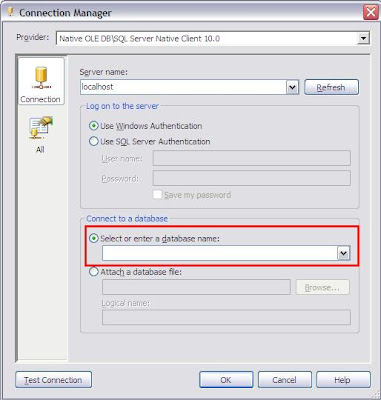
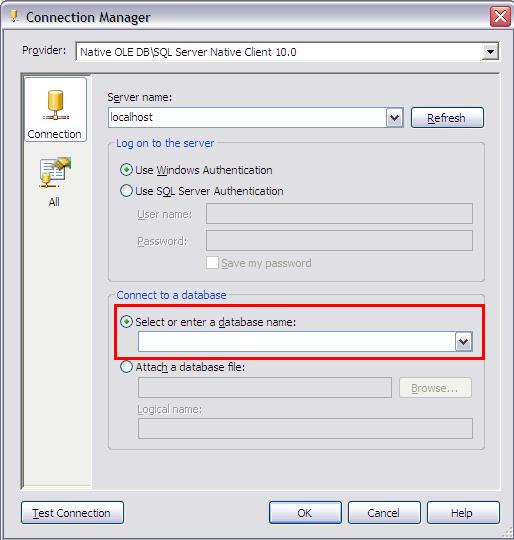
When I click on Test Connection I get the following error message "Test connection failed because of an error in initializing provider. Could not load file or assembly 'System.EnterpriseServices.Wrapper.dll' or one of its dependencies. The system cannot find the path specified".
After searching for the resolution on Internet, I found that I may have to reinstall my .Net Framework 2.0. Although, Windows will not allow me to remove my .Net Framework. It turned out that since I additionally had .Net Framework 3.0 and 3.5 installed, I had to remove them first before removing 2.0. And it worked..
After reinstalling .Net Framework 2.0 and all others I was able to browse the databases. Hope it helps...
Meanwhile, till the time I was not able to work with "Native OLE DB\SQL Server Native Client 10.0" I used ".Net Providers\SqlClient Data Provider"
Tuesday, December 21, 2010
Error "Unable to get the window handle for the 'ActionsAwarePivotTable' control."
I got the following error "Unable to get the window handle for the 'ActionsAwarePivotTable' control." while browsing the cube in SQL Server Analysis Services 2008.
It turns out that you get this error message when your Lotus Notes is up. The error went away after closing the Lotus Notes.
Wish there were better integration between IBM and Microsoft. :-)
Saturday, December 18, 2010
SQL Server 2008 Installation error for Reporting Services
If you get the following error while installing SQL Server 2008 "The Reporting Services catalog database file exists. Select a Reporting Services files-only mode installation.", please follow the link on Microsoft Support page. http://support.microsoft.com/kb/956095
To resolve this issue, move, rename, or delete the existing Report Server databases. Or, use a different instance name.
SQL Server 2008 Installation error for "Restart failed"
While trying to install SQL Server 2008 the installation may not proceed showing that Restart has failed. Even though you restart your computer it may show you the same message.
Check your system's pending file rename operations registry key. It should be cleared after you reboot your system. If not, something must be wrong.
HKEY_LOCAL_MACHINE\SYSTEM\CurrentControlSet\Control\Session Manager\PendingFileRenameOperations
Thursday, May 6, 2010
DMV a day by Glen Berry
Last month Glen Berry started a fantastic series called "DMV a day" and posted one DMV everyday.
This post has a compilation of all 30 DMV's.
This post has a compilation of all 30 DMV's.
Subscribe to:
Posts (Atom)